

Hollow
Empties a solid inside, keeping an even wall. Choose how it opens: Sealed, Screw cap (a threaded opening and a cap, for urns and keepsakes), Push-in plug, Cut open flat, or Open faces you pick.
When to use it
To make a solid part hollow with an even wall: lighter, quicker to print, or a container. Choose how it opens: sealed, a screw cap, a push-in plug, cut open flat, or open faces you pick.
Options
- Wall thickness
- How thick the walls are. The walls grow inwards, so the outside stays exactly the same size.
- Open sides
- Pick faces to leave open (the top of a cup), or leave none for a closed hollow part.
- Inner edges
- Rounded or sharp corners on the inside.
- Drain holes
- For resin printing: small holes so the liquid resin can run out of a closed hollow part.
- Change it later
- Select the result and change the wall thickness in its panel.
Good for: cups, boxes, planters, lamp shades, light hollow parts that print faster and use less filament, resin prints with drain holes.
Examples
- A vase: hollow, 2 mm wall, top face open.
- A keepsake box with a screw cap that really screws on.
- A light shade, open at the bottom.
Limits
- Works on closed (watertight) solids. Very thin details can be thinner than the wall, so they come out solid.
- A sealed hollow part traps air: slicers print it as a closed shell, which is fine, but resin printers need a drain hole.
Common problems
- The walls look too thin to print.
- Use at least two nozzle widths (0.8 mm for a 0.4 mm nozzle). 1.6–2 mm is sturdy.
- Nothing seems to happen.
- Hollow works on one part at a time: select a single solid part.
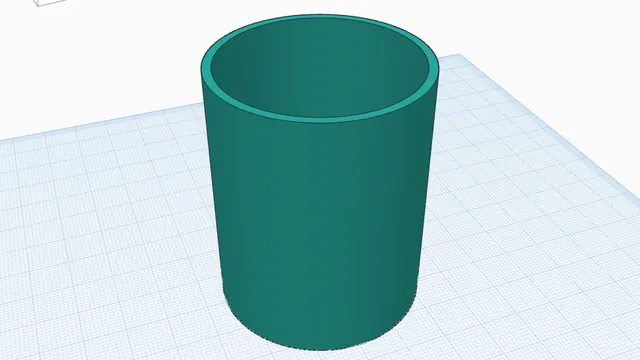 Hollow a partIntermediate · 4 min · Empty a solid part to an even 2 mm wall and open its top: a vase or a pot in one step.
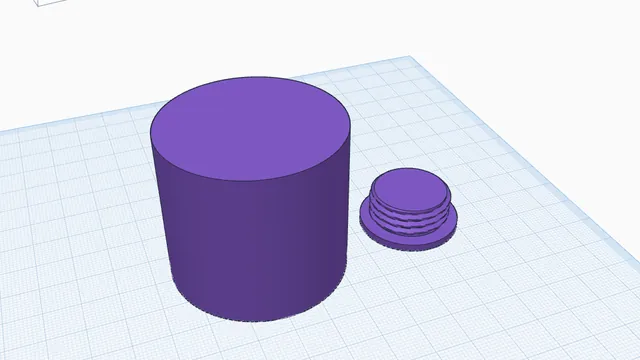 A screw-top keepsake jarIntermediate · 5 min · A round box with a lid that really screws on, made with Hollow's screw cap.