

Free online STL editor
Downloaded a model that's almost right? Open the STL in SimpCAD X, right in your browser, and change it: add your name, drill a hole, cut it in half, join it to another part. The file never leaves your computer.
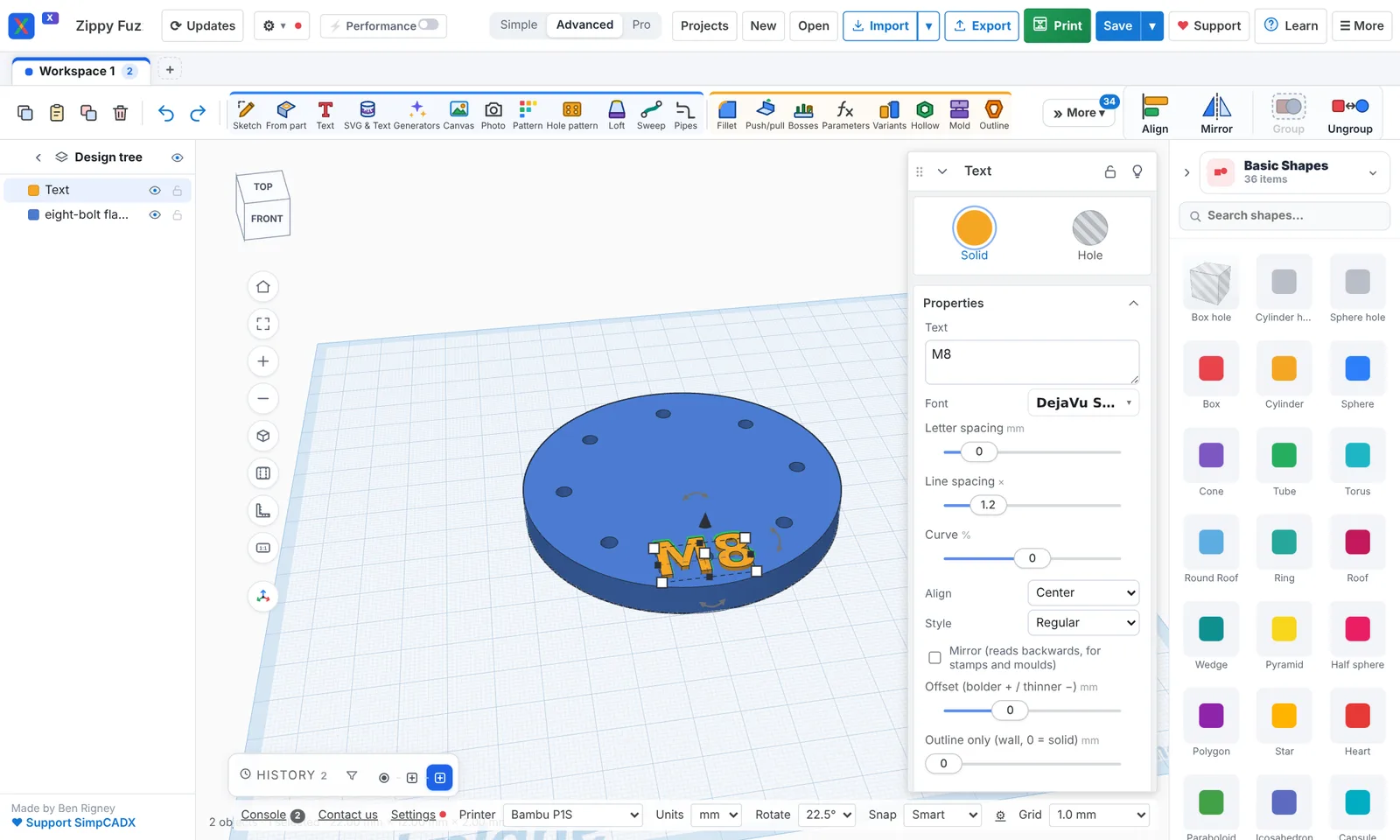
What you can do to an STL file
- Add to it: raised or cut-in text in any font, shapes, logos from SVG files, or other STL files.
- Cut into it: turn any shape into a hole, cut with a lasso, split a model with a plane, or cut it into pieces that fit your bed.
- Resize it: scale by typing exact sizes in mm or inches, or mirror and rotate it.
- Repair it: close holes in the surface, turn faces that point the wrong way, and join overlapping pieces into one solid (more on repairing STL files).
- Lighten it: Simplify a heavy scan to far fewer triangles, or hollow a part to save filament.
- Separate it: split a file of loose parts into separate parts you can move.
Files it opens and saves
It opens STL, 3MF, OBJ, GLB and SVG, and STEP files from other CAD programs. It exports STL, 3MF (with colours), OBJ and STEP. Parts keep their colours.
Private by design
The browser version runs on your own computer: your STL is not uploaded anywhere to be edited. There's no account to make. Install it as an app from your browser and it opens with no internet, too.
Need more than editing?
The same program is a full CAD for 3D printing: design new parts from scratch, use generators, and check how they'll print.
More: CAD for 3D printing · Free CAD software · Repair STL files · Open STEP files · 3D modelling for beginners · Tinkercad alternative · Online CAD · What's new