

3D modelling for beginners
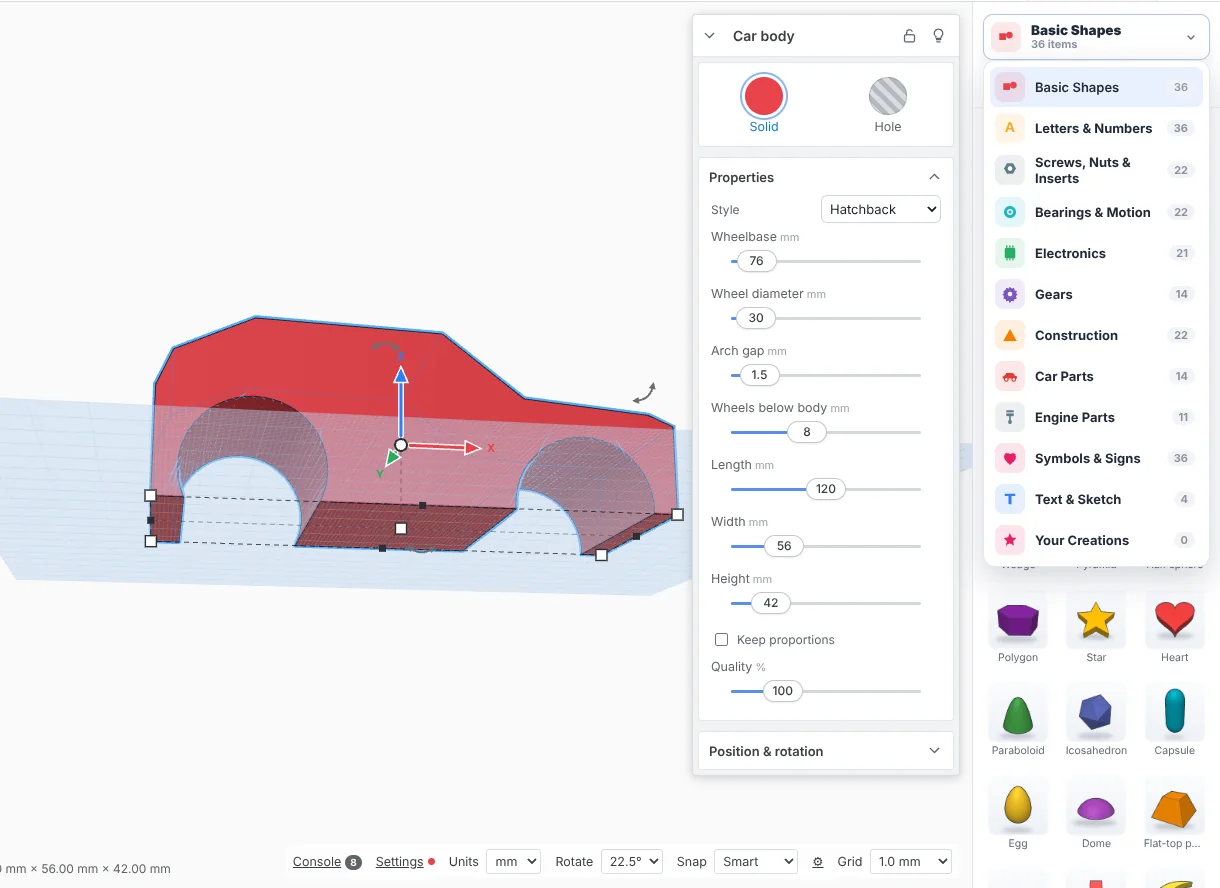
You don't need to know CAD to start. In SimpCAD X you build things from simple shapes: drag a box, drag a cylinder, turn one into a hole, group them, and you have a part with a hole in it.
How it works
- Shapes: drag boxes, cylinders, spheres, text and ready-made parts onto the workplane (think of it as your printer's bed).
- Sizes: type exact sizes in millimetres or inches.
- Holes: any shape can be a hole, and grouping it with a solid cuts it out.
- Print: export an STL or 3MF and open it in your slicer.
Learn by doing
SimpCAD Academy, inside the program, has 25 hands-on lessons. They run in a practice workspace next to your own design. Each step checks what you really made, such as the size, a hole that cuts or a rounded edge, and offers a hint or a Show me when you're stuck. You can also read every lesson here: start with your first printable model or a name keychain, or see all the tutorials.
Start simple, grow later
Simple mode shows only the everyday tools. When you're ready, Advanced mode adds sketches, fillets, threads, patterns and the rest, in the same program and the same design.
Made for printing
Pick your printer and the workplane becomes its bed. SimpCAD X warns when a part won't fit, shows overhangs, and can cut a big model into pieces that fit. Read more about CAD for 3D printing.
More: CAD for 3D printing · Online STL editor · Free CAD software · Repair STL files · Open STEP files · Tinkercad alternative · Online CAD · What's new