

CAD for 3D printing
Most CAD programs are made for machining and drawings. SimpCAD X is made for the printer on your desk: it knows the size of your bed, the clearances your printer needs, and what will need supports, before you slice.
What makes CAD good for 3D printing
A part that looks right on screen can still fail on the printer. It might not fit the bed, a peg might not go into its hole, or an overhang might sag. SimpCAD X checks those things while you design.
- Your printer's bed: pick from 349 printers (Bambu Lab, Prusa, Creality, Elegoo, Anycubic, Voron and more). The workplane becomes your bed.
- Too big for the bed? Cut a model into pieces that fit, joined back up with plugs, dowels, snaps or threads.
- Overhang map: see the faces that will need support, in colour, before slicing.
- Fits that print: clearances and thread fits follow the printer you chose.
- Will it stand up? Drop a model on the bed and see whether it tips over.
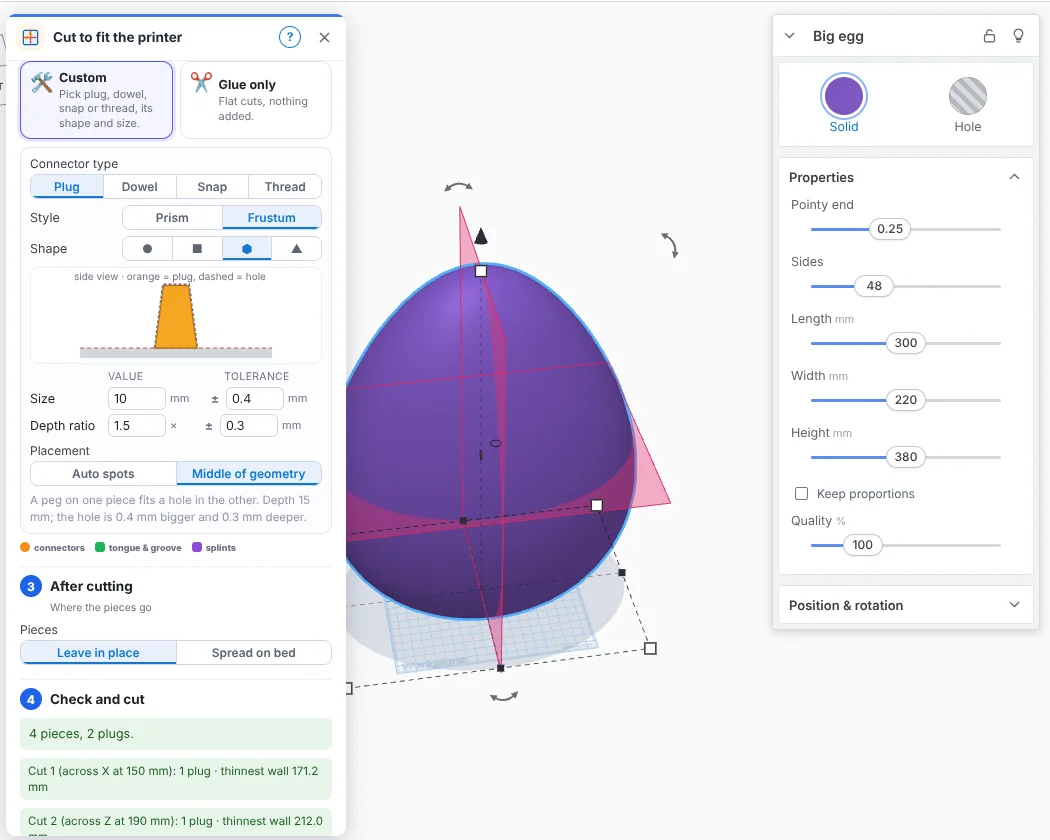
Design the way you think
Start with shapes: drag a box, a cylinder or text onto the bed, turn some into holes and group them. When a part needs more, sketch a profile and extrude or revolve it, round its edges, or name a size once and use it everywhere.
- Generators: keychains, QR codes, gears, threaded bolts and nuts, springs, Gridfinity bins, hinges and more, each with its own settings.
- 230+ ready-made parts: bearings, electronics mounts, car and engine parts, symbols.
- Full history: go back to any step and change it.
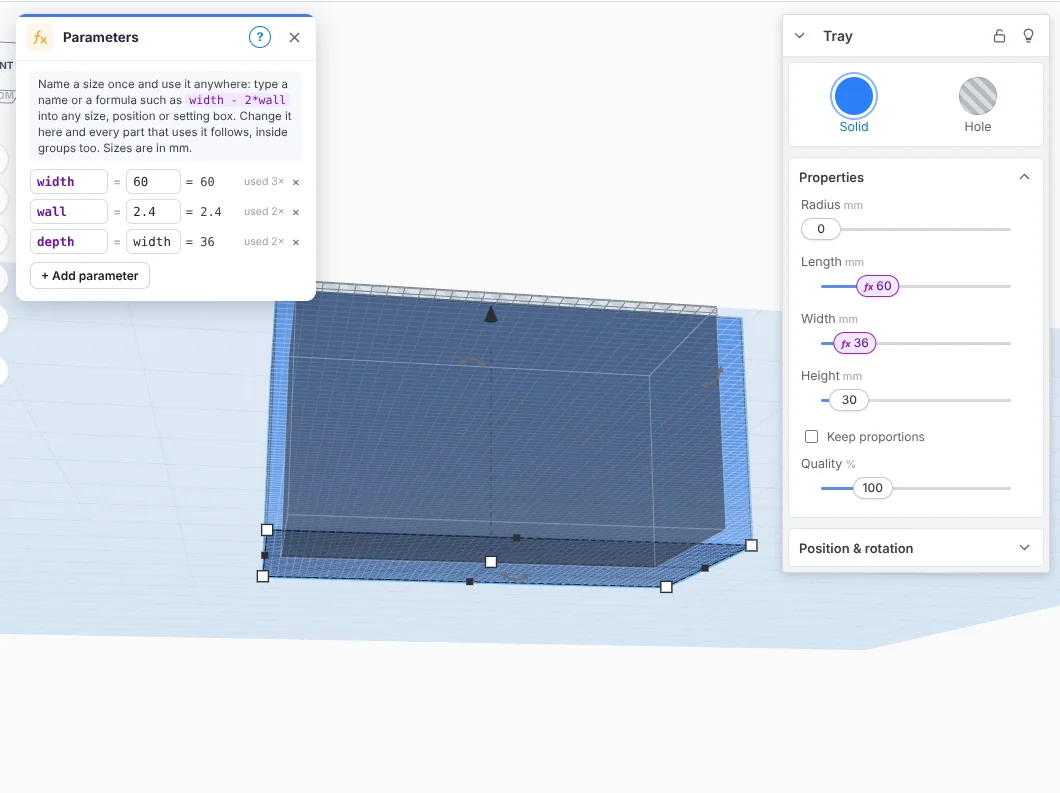
Exact CAD when you need it
The exact engine (on by default) makes roundings and chamfers as true curves. It opens STEP files from other CAD programs with their folders, names and colours, and exports STEP for machining or for another CAD program.
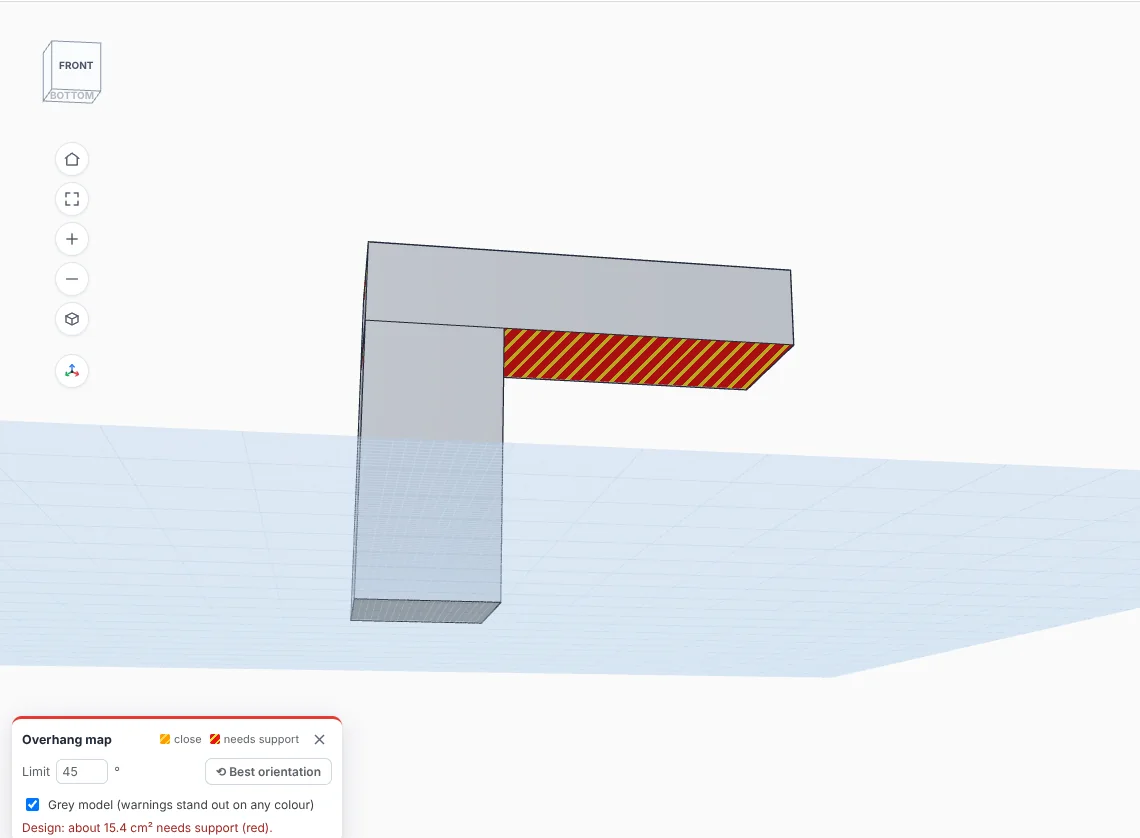
Export for any slicer
Export STL, 3MF (with colours, for multi-colour printers), OBJ or STEP, or press Print to send the design straight to your slicer.
Free, with nothing locked
Every tool is free, for personal and commercial projects. There's no account, no project limit and no paid tier. Use it in your browser, or download the Windows app, which works with no internet at all.
More: Online STL editor · Free CAD software · Repair STL files · Open STEP files · 3D modelling for beginners · Tinkercad alternative · Online CAD · What's new